Yealink MVC640- Native Teams Room Video Conferencing System About
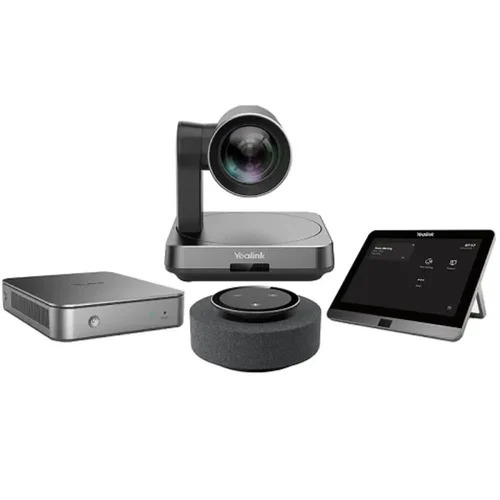
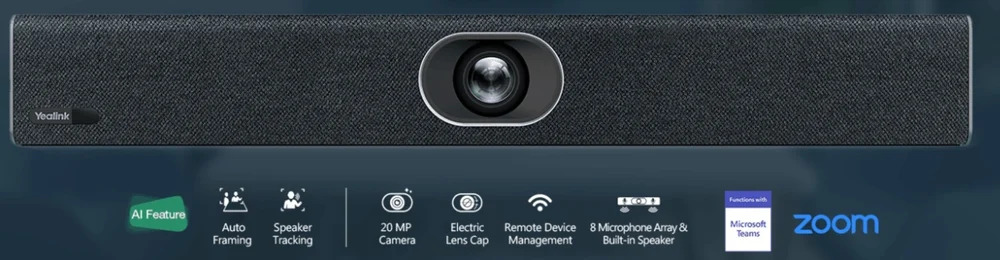
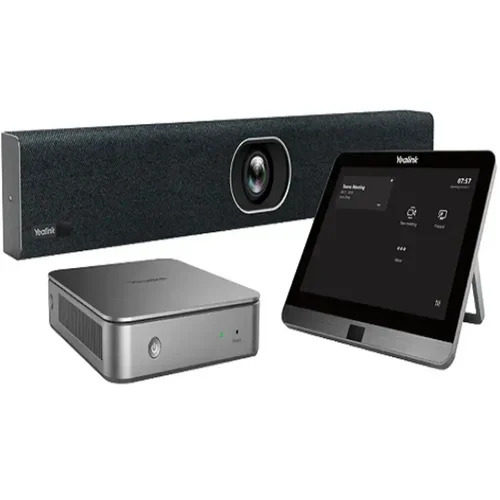
Pick Yours from the fresh and new release, the Yealink MVC640-a breathtaking, crowning achievement in room-based video conferencing for Microsoft Teams Rooms. This superb system, equipped with the MVC640 model and MCore Mini-PC, delivers seamless connectivity via USB, HDMI, and Ethernet. Enjoy crystal-clear AV through the MTouch II 8-inch HD touch panel and MSpeaker II soundbar. The Yealink VCM34 Array Microphone captures voices up to 6m, while the UVC84 camera offers 12x optical zoom and stunning autoframing. Experience effortless, plug-and-play setup and superior collaboration support for both Teams and Zoom environments.
Application & Usage: Versatile Teams Room Solution
The Yealink MVC640 Native Teams Room Video Conferencing System is primarily used as a comprehensive solution for Microsoft Teams and Zoom-based meetings. Its plug-and-play setup ensures effortless direction of use for conference, meeting, and board rooms. Designed for room-based video collaboration, the superb 12x optical zoom camera and sensitive microphones make it ideal for both mid-sized and larger environments. Use this advanced system for remote interviews, virtual seminars, and collaborative team sessions to ensure every voice and idea is clearly heard.
Supply, Market, and Payment Structure Insights
We offer a consistent supply ability for the Yealink MVC640 across the main domestic market in India, catering to suppliers, traders, and wholesalers. The outlay for this equipment corresponds with its cutting-edge features, ensuring value for your charge. List price details and preferred payment terms such as advance payment, NEFT, or RTGS are available upon request. Our dependable logistics and support streamline the acquisition process, ensuring you always have access to this breathtaking Teams Room system when you need it.
FAQ's of Yealink MVC640- Native Teams Room Video Conferencing System:
Q: How does the autoframing feature benefit video conferences?
A: The autoframing feature automatically adjusts the camera's focus and angle to ensure all participants remain visible, providing a more engaging and professional video conference experience without the need for manual camera control.
Q: What is the process to set up the Yealink MVC640 system?
A: Setting up the Yealink MVC640 is straightforward with its plug-and-play design. Simply connect the system components using the provided cables (USB, HDMI, Ethernet), mount the camera and microphones as preferred, and configure the software for Teams or Zoom usage.
Q: Where can the Yealink MVC640 be effectively installed?
A: The system is ideal for conference rooms, meeting rooms, and boardrooms, supporting both wall and desk mounting options for the camera, microphones, and touch panel. It is suitable for professional environments seeking high-quality communication.
Q: What is the audio pickup range of the microphone?
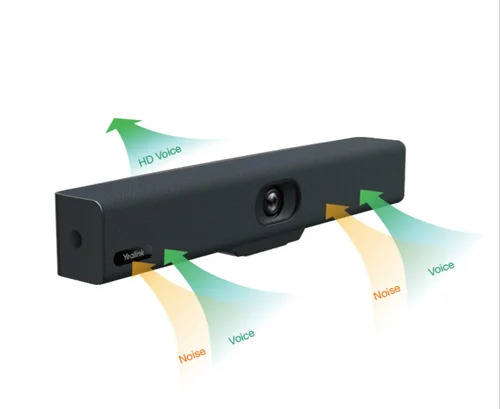
A: The Yealink VCM34 Array Microphone offers an outstanding audio pickup range of up to 6 meters, ensuring clear voice transmission from every corner of the room.
Q: When should I choose the Yealink MVC640 over other video conferencing solutions?
A: Choose the Yealink MVC640 for superb integration with Teams Rooms, breathtaking camera clarity with 12x zoom, and seamless plug-and-play operation-especially when a native Teams experience is crucial for your workflow.

 Send Inquiry



 Send Inquiry

 Send Inquiry


